Free
Everything you download today.
- The island and the seven plugins
- The ⌥Space launcher
- Window moves from the launcher
- Clipboard history
- Updates from GitHub
Hover the island, or click it.Tap the island.
Each one is a tab in the island and a manifest that says what it may read. Turn any of them off in Settings; the island keeps only what you use.
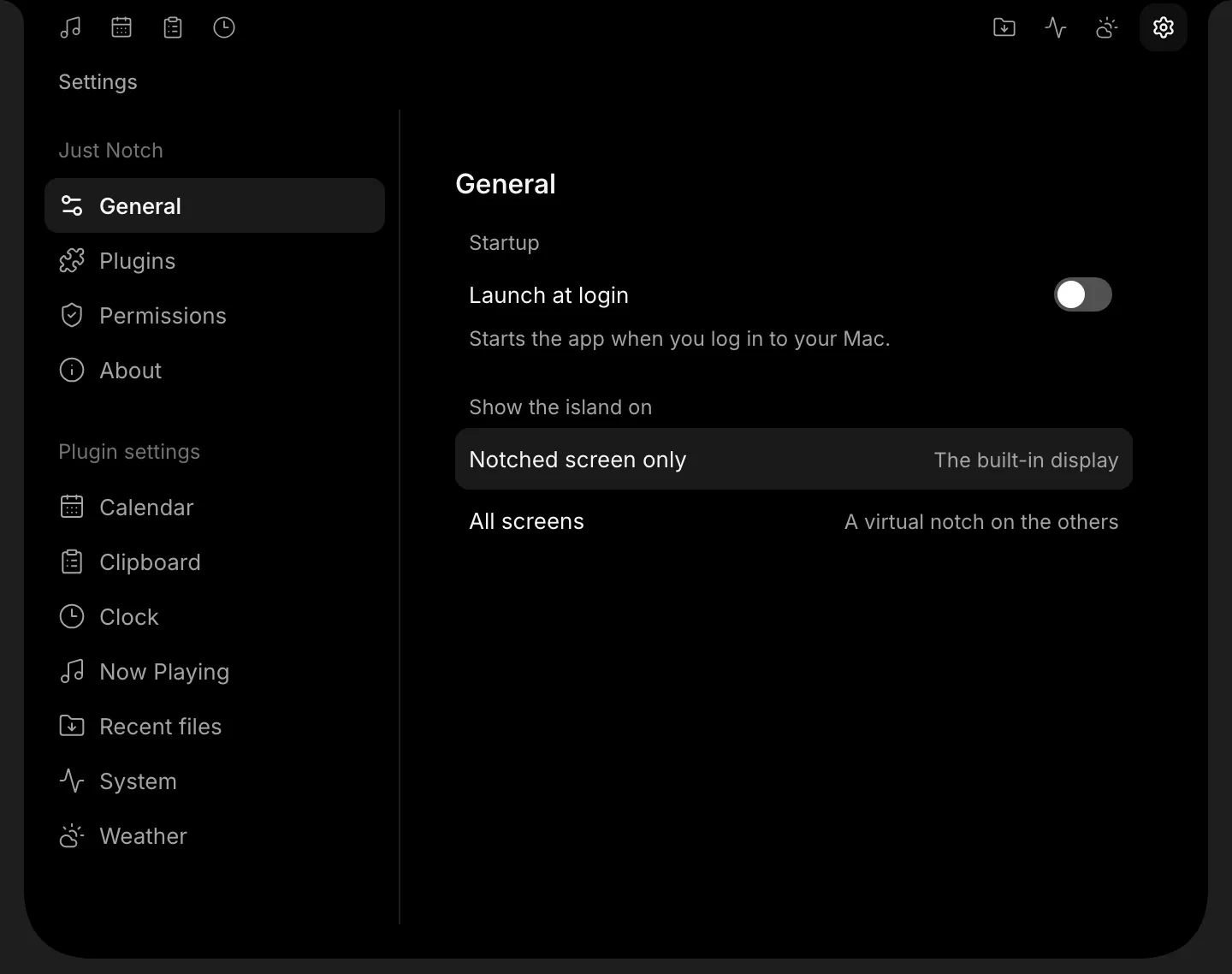
| Plugin | What it shows | What it may read |
|---|---|---|
| Now Playing | What plays in Music, Spotify or a browser, beside the notch and in the open island. | What is playingPlayback controlsAudio levels |
| Calendar | Today and tomorrow, and a countdown to the next event. | Your calendars |
| Clipboard | What you copied, kept and searchable. | Clipboard |
| Clock | The time, world clocks and a Pomodoro cycle. | Nothing |
| Recent files | The newest downloads and screenshots, ready to open or drag out. | Recent filesOpening files |
| System | CPU, memory, battery, disk and the busiest processes. | System statsBattery |
| Weather | The temperature now, the next hours and rain on its way. | Weather for your place |
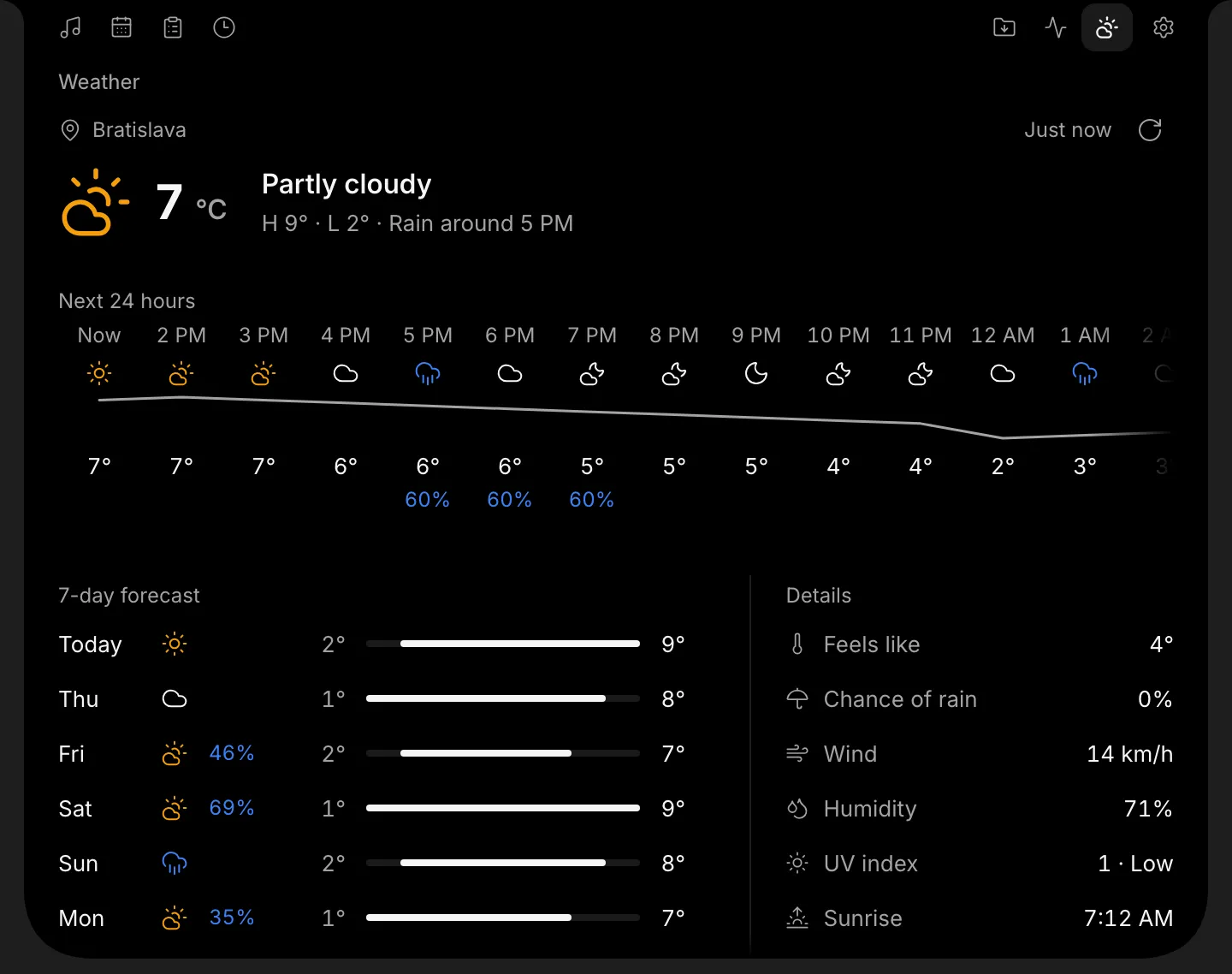
Weather. The next 24 hours, seven days and the details.
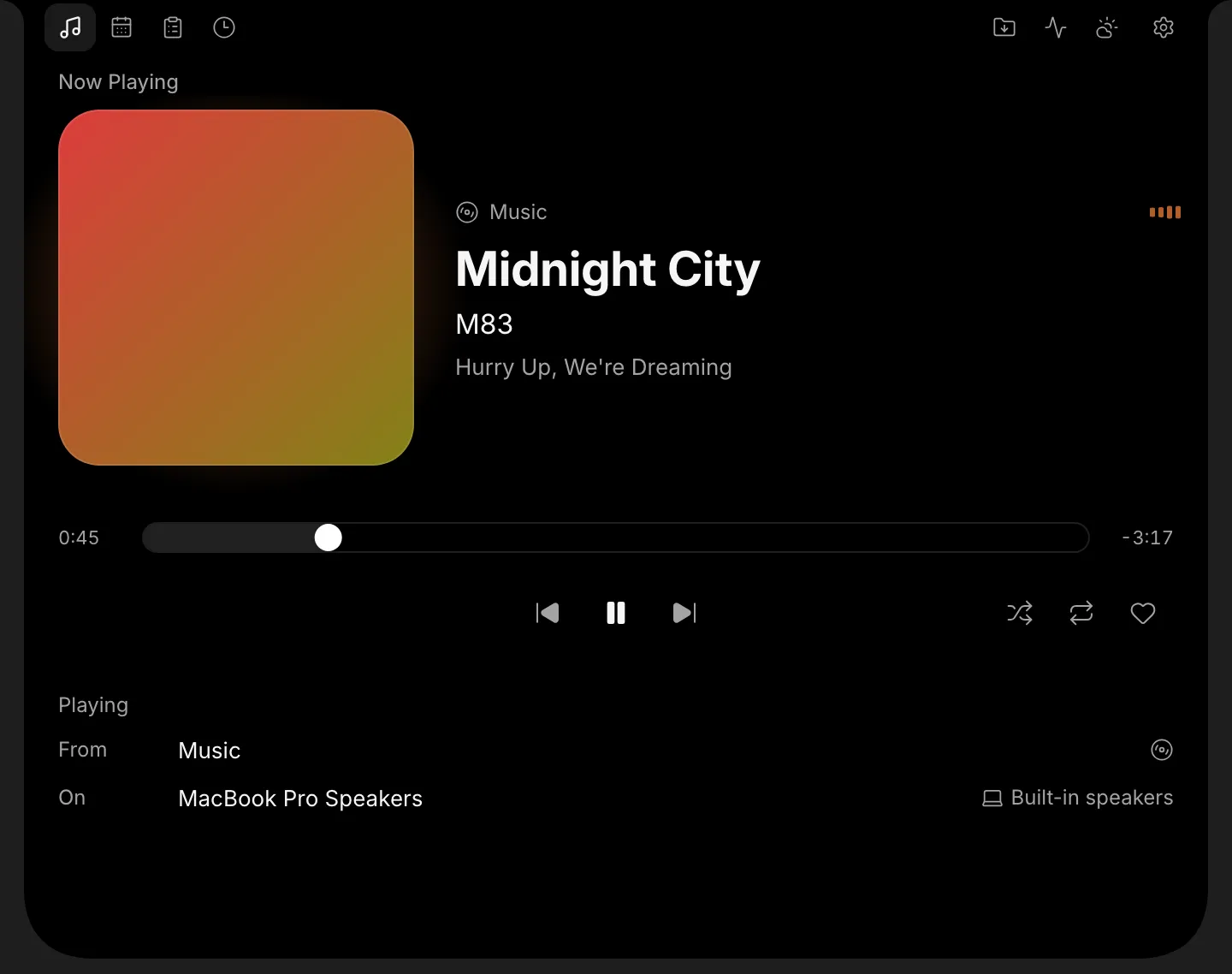
Now Playing. The scrubber, the controls and where it plays.
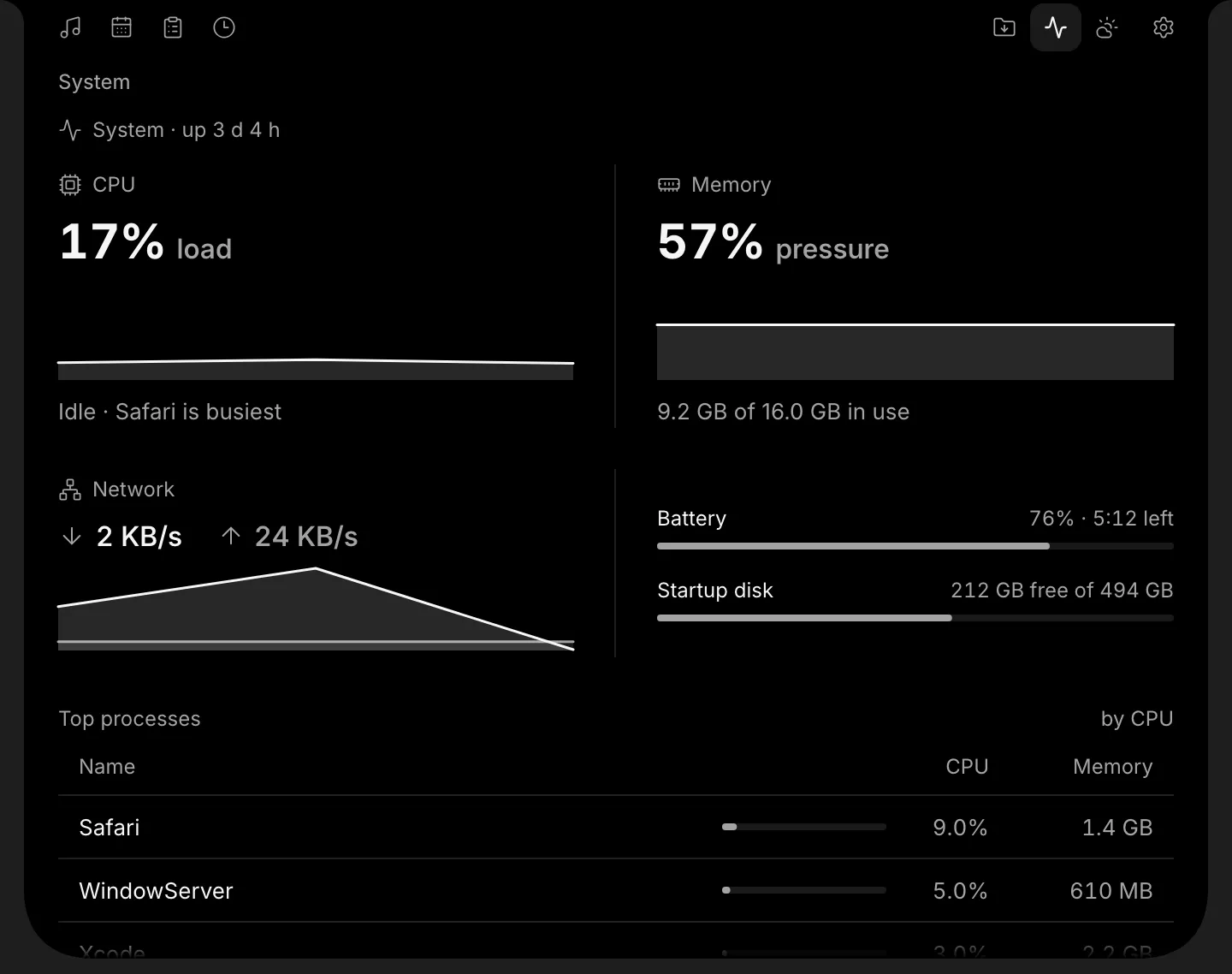
System. Load, memory, network, battery and the busiest processes.
The island opens to fit what it shows. Swipe down on the trackpad and it snaps tall, with the full forecast, the scrubber or the process list. Swipe up and it is a notch again.
Optional plugins, one click from Settings › Library. Each is released on its own and checked against its published hash, and installs only after you approve what it may read and which hosts it may reach.
Contribute a pluginPress ⌥Space and a drop falls from the notch, then spreads into a search bar in the middle of the screen, where Spotlight's sits. Pick another shortcut in Settings › Launcher, or take ⌘Space once Spotlight lets it go.
The round buttons beside the bar are scopes. Type a keyword and a space to enter one: app, file, action, clip. Plugins can add their own.
| Finds | What comes up |
|---|---|
| Applications | Ranked by how often and how recently you open them. |
| Answers | Maths, units, currencies at ECB rates, time zones (“time in tokyo”), dates and number bases, inline. |
| Files | From the Spotlight index, with a Quick Look preview. |
| Actions | Sleep, Turn Off Display, Start Screen Saver, Empty Trash, Toggle Dark Mode and your Shortcuts. |
| Clipboard | Your history: Return pastes straight into the app in front. |
| Window Management | Halves, quarters, thirds, sixths, maximize and the next display for the window in front. |
| Web | A web search when nothing else fits. |
Every build on GitHub is free today. Pro comes with the notarized, auto-updating build: one payment, no subscription. Its price, trial, devices and refund window will be on this page before anything is for sale.
Everything you download today.
One payment, with updates. Price at launch.
Download Just Notch from the latest release.
Download for MacUnzip it and drag Just Notch into Applications.
Open it once. macOS says it can’t check it: choose Done.
Apple only vouches for notarized apps, and this build isn’t notarized yet. Nothing is wrong with your download.
In Privacy & Security, choose Open Anyway.
Open System Settings › Privacy & Security, scroll to Security and choose Open Anyway beside Just Notch, then confirm with your password or Touch ID. You do this once; after that it opens like any app. On macOS 14 Sonoma, Control-click the app and choose Open instead.